
Why NixOS
There is a particular kind of irritation that only appears when your computer is doing nothing and still feels busy. On my Windows machine, I could leave the desk, come back to an idle desktop, open Task Manager, and find roughly 10 GB of RAM already spoken for. No heavy browser tabs. No big compile. Just the operating system occupying itself.
I am not claiming that figure as a universal benchmark. It was what I saw on my hardware, with my software, and my habits. Still, it stuck with me. The machine felt slow, bloated, and slightly insulting. I did not even need Task Manager to know when Windows Defender was doing a scan. The fans told me first. I started wanting an operating system built around efficiency, control, and productivity rather than one that seemed determined to spend my resources on my behalf.
That search led me to NixOS.
The dream distribution I kept postponing
NixOS looked like the dream. You describe your system in configuration, rebuild it, and get something reproducible. Instead of a fragile pile of installs, tweaks, and half-remembered terminal commands, you get a system you can reason about. I know every package I have ever installed, and I can take that same configuration and stand up the same machine somewhere else. Break something, roll back. For someone who likes control, that is hard not to fall for.
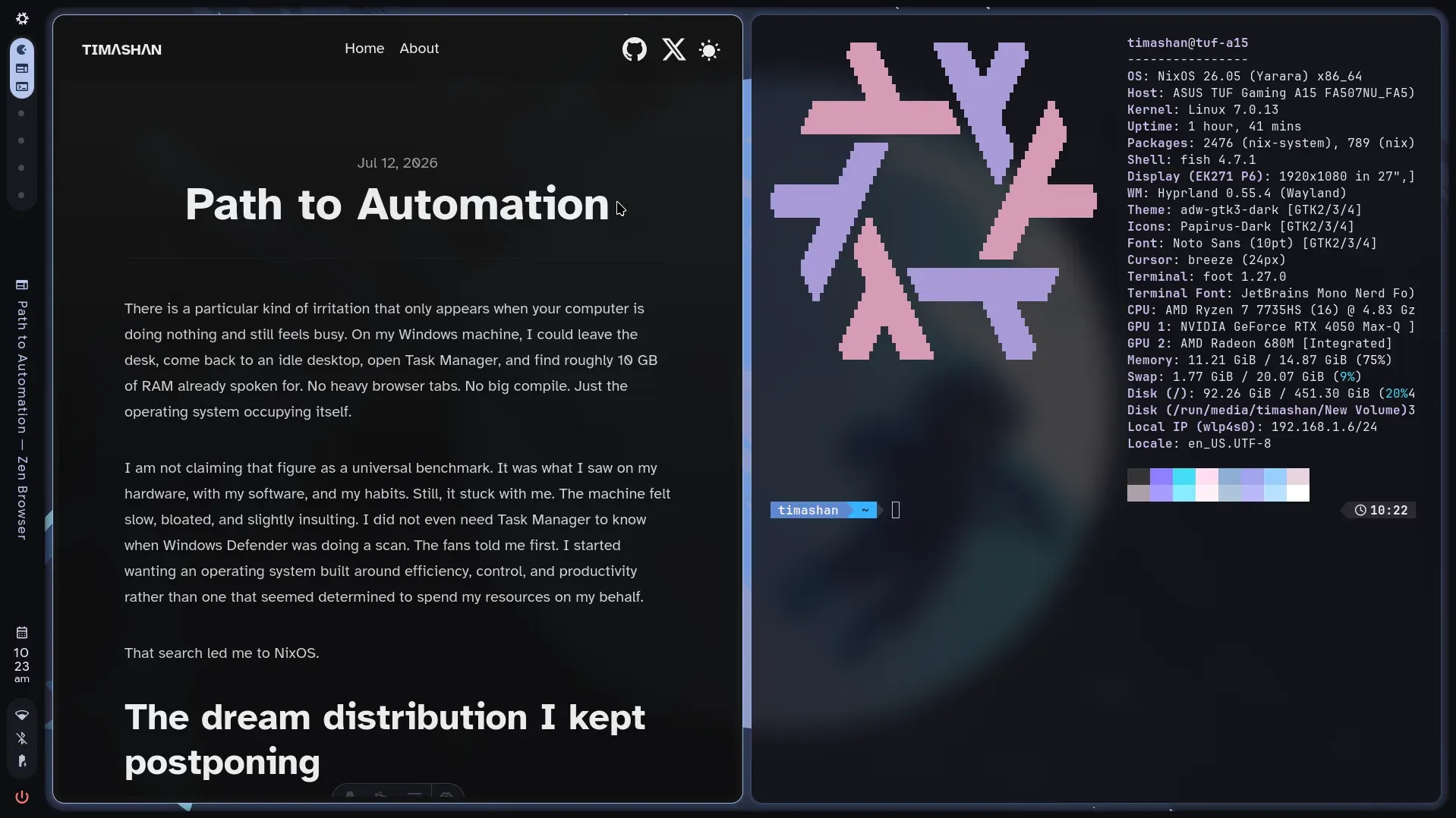
This is me writing on it (yh I changed the title). The GUI feels smoother than what I was used to on Windows: tiles move cleanly, the desktop stays responsive, and the whole thing just feels lighter under my hands.
I also like the security posture better. In my experience, Windows has always felt like the softest target of the mainstream operating systems. On NixOS, my attitude is closer to: go ahead, try to break me. Short of someone walking off with my data, I can usually recover by rolling back. Data privacy still matters. Melodrama about invulnerability does not.
On this machine, that looks like a few familiar commands:
# Test a config without committing to it
sudo nixos-rebuild test --flake /etc/nixos#tuf-a15

# Switch to it for real
sudo nixos-rebuild switch --flake /etc/nixos#tuf-a15

# Roll back to the previous generation
sudo nixos-rebuild switch --rollback

# Or roll back only until the next reboot
sudo nixos-rebuild test --rollback
That is the comfort. Break something, recover, keep going. The config itself lives in my nixos-config repo.
And yet I kept not committing.
The complexity was real. The learning curve was steep. The model was unusual enough that ordinary Linux advice often failed to translate cleanly. Software compatibility worried me too. I did not want to spend weekends wrestling with packaging quirks when I could have been building things. So NixOS sat in that familiar category of “technically perfect for me, practically terrifying right now.”
That balance has shifted.
I am also not imagining the timing. There was a recent r/NixOS thread from someone who has been using Linux since 1996 and said NixOS management feels fun again because of tools like Claude Code. That tracks with my experience too: the declarative model was always appealing, and AI is what made living in it feel practical.
Why it feels possible now
The Nix ecosystem is much larger than it used to be. As of writing this, Nixpkgs has about 145,700 packages (search them here), and community support and documentation keep improving. None of that makes NixOS simple. It does make it less lonely.
The bigger change, for me, is AI.
NixOS is oddly well suited to AI-assisted setup because there is one place to write everything declaratively. You are not hunting through scattered installers, GUI toggles, and forgotten scripts. The system wants a coherent configuration, and modern assistants are surprisingly good at explaining opaque Nix errors, drafting those snippets, translating conventional Linux instructions into Nix expressions, and helping you build an operating system gradually instead of all at once. That matters. The barrier was never only technical knowledge. It was friction: cryptic messages, unfamiliar abstractions, and the sense that every small change required a research project.
AI does not make NixOS effortless. It does not remove the need to understand your configuration. If you paste blindly and hope for the best, you will still get burned. What it does is lower the intimidation. You can ask better questions, learn in smaller steps, and recover faster when something breaks. For me, that was the difference between “someday” and “now.”
What I give up
None of this is free.
Some apps simply do not exist here. Armoury Crate is Windows-only, and on an ASUS TUF machine that matters. Fan curves, performance profiles, RGB, the whole vendor control panel: gone as an official product. I run the community stack instead (asusd, asusctl, supergfxd), and it covers a lot of the hardware controls. It is still not Armoury Crate. I actually liked that app’s look and feel. That sounds shallow until you use a polished vendor UI every day and then do not have it.
Then there is packaging friction inside Nix itself. Zen Browser is a good example. It is not in nixpkgs yet. There have been packaging attempts and an open PR, but nothing stable I can just enable like Firefox. So I run it through a community flake on the beta module, with zen-beta as my default browser, instead of an officially packaged release. It works. It is also a reminder that “Nixpkgs has a lot of packages” does not mean the app you want is one of them, or that it has cleared review.
Some gaps are broader than NixOS, and they show up as a pile of third-party flakes. OpenAI’s Codex desktop app ships for macOS and Windows only. I use an unofficial Linux port plus a separate community Codex CLI flake, with Electron launch flags and Home Manager workarounds just to keep the desktop usable. Claude Desktop is the same pattern: no clean first-party Linux story, so I pull a community Debian-based flake. Useful, yes. Also a quiet tax: my daily AI tooling depends on packaging that is not Nixpkgs and not vendor-supported.
There is a sharper edge under that. Getting Codex Desktop running meant permitting an EOL Electron build in my Nix config. That is the kind of compromise Windows vendors hide behind installers, and Nix makes explicit. I still accept it. I do not pretend it is free.
Hybrid NVIDIA on this laptop is another recurring cost: modesetting, offload, power management, the usual Linux laptop tax. Manageable with a declarative config. Still not “install the vendor suite and forget it.”
I still prefer the trade. I just refuse to pretend the trade is imaginary.
This OS switch is one piece of a broader experiment I am calling my path to automation. The bigger picture lives in Hello, Automation.